
One quality setting, already chosen for you
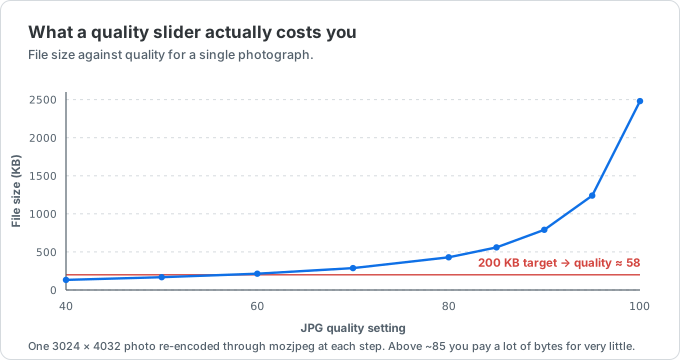
Most compression tools open with a slider and leave the decision to you, which means guessing. Quality 90 costs several times the bytes of quality 65 for a difference you may not see, while very low quality starts to smear detail. VidSmaller uses one conservative default so every batch stays predictable.
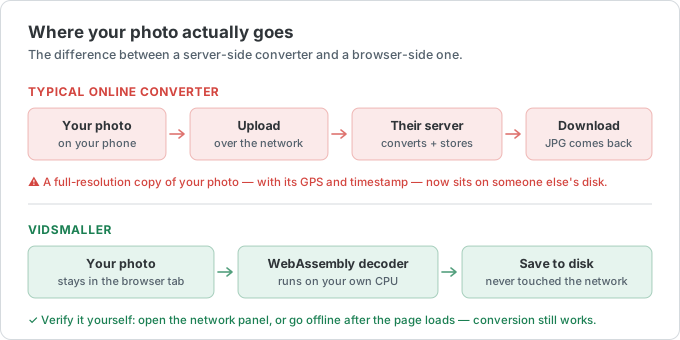
Because everything runs locally, you can shrink a PNG for the web, cut a phone photo down for email, or prepare a batch for a CMS without ever sending a file to a server.